Hermes Agent works through jobs on its own, in your terminal or from the chat apps you connect it to. With Taskaid connected, a task can be where a job starts and where it ends up: Hermes reads what you wrote, picks the task up by its reference, and leaves what it did in the note for the next session.
No API key. One config entry, then a sign-in.
Connect
-
Install Hermes Agent with its installer if you haven't already. MCP support comes with it.
-
Add Taskaid to
~/.hermes/config.yaml:mcp_servers: taskaid: url: "https://taskaid.ai/mcp" auth: oauth -
Sign in from a terminal:
hermes mcp login taskaidYour browser opens Taskaid's sign-in; approve the access you want to grant. Hermes waits up to five minutes and prints Authenticated — 7 tool(s) available when it's done.
-
Check the connection:
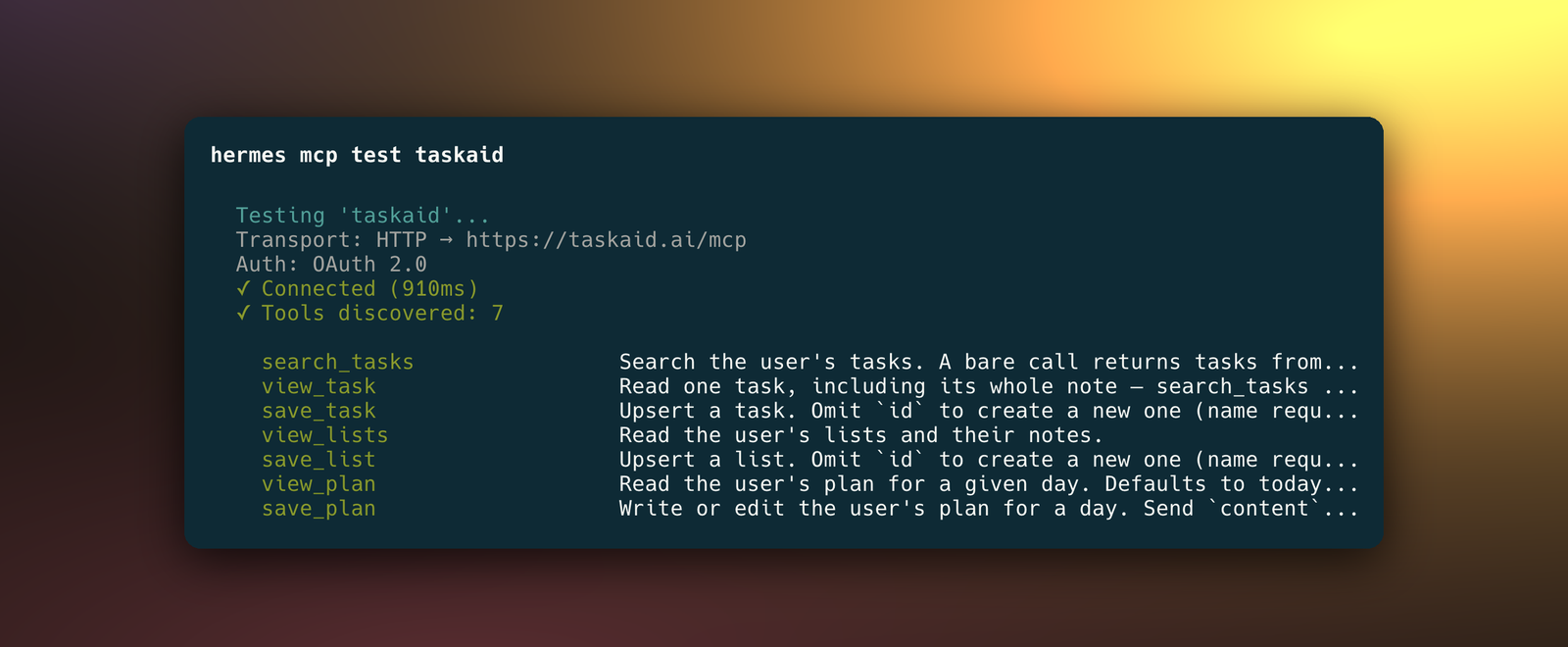
hermes mcp test taskaidIt reports Connected and lists Taskaid's seven tools.
Hermes identifies itself to Taskaid when you sign in, so there's no client ID or secret to enter, and it refreshes the sign-in itself after that.
Try it
- "What's on my plate today?"
- "Read TASKAID-45 and carry on from its note."
- "Add a task to renew the domain on the 1st of next month."
- "When you're done, save what you found as a note on TASKAID-45 and mark it complete."
A task's note is Markdown, so it's a good place for Hermes to leave sources, findings and next steps for whoever picks the task up next, in Hermes or in any other assistant you use. More starting points on the Assistants page.
What Hermes can do
Hermes works with your tasks as part of whatever job you give it. Taskaid has no delete tool, so Hermes cannot delete anything even if you ask it to, and every task it creates records Hermes Agent as where it came from.
Every action runs as your own account, limited to what you approved, and your data is never used to train AI models. For the tools themselves see the MCP server reference, and our Privacy Policy and Terms of Service for everything else.
Questions
Does it work when I talk to Hermes from Telegram or Discord?
Yes, once you've signed in on the machine that runs Hermes. The messaging gateway uses that saved sign-in and never opens a browser itself, so if the sign-in ever lapses, run hermes mcp login taskaid on that machine again.
What if Hermes runs on a server, not my computer?
The sign-in expects your browser and Hermes on the same machine. When they aren't, hermes mcp login taskaid lets you paste the address your browser lands on back into the terminal, or you can forward the callback port over SSH.
Manage or disconnect
Set enabled: false under taskaid in config.yaml to turn Taskaid off without removing it. hermes mcp remove taskaid removes the server and deletes Hermes's saved sign-in. To revoke access from Taskaid's side, open Settings and disconnect Hermes Agent under Connected apps.
Troubleshooting
"This site can't be reached" at 127.0.0.1 after you approve. Hermes had stopped waiting for you. hermes mcp add waits only 30 seconds for the sign-in; add the config entry above and run hermes mcp login taskaid, which waits five minutes.
"Non-interactive environment and no cached tokens found." Hermes won't start a sign-in from a script. Run hermes mcp login taskaid from a terminal.
Hermes asks you to sign in again. Your access was revoked. Run hermes mcp login taskaid and approve once more.