Your Tasks as Cards in ChatGPT and Claude: The Taskaid MCP App
Ask an assistant about one of your tasks, and you used to get its retelling: a paragraph about the task, in the assistant's words. In ChatGPT and Claude, Taskaid now shows the task itself, as a card in the conversation, with the assistant's reply around it.
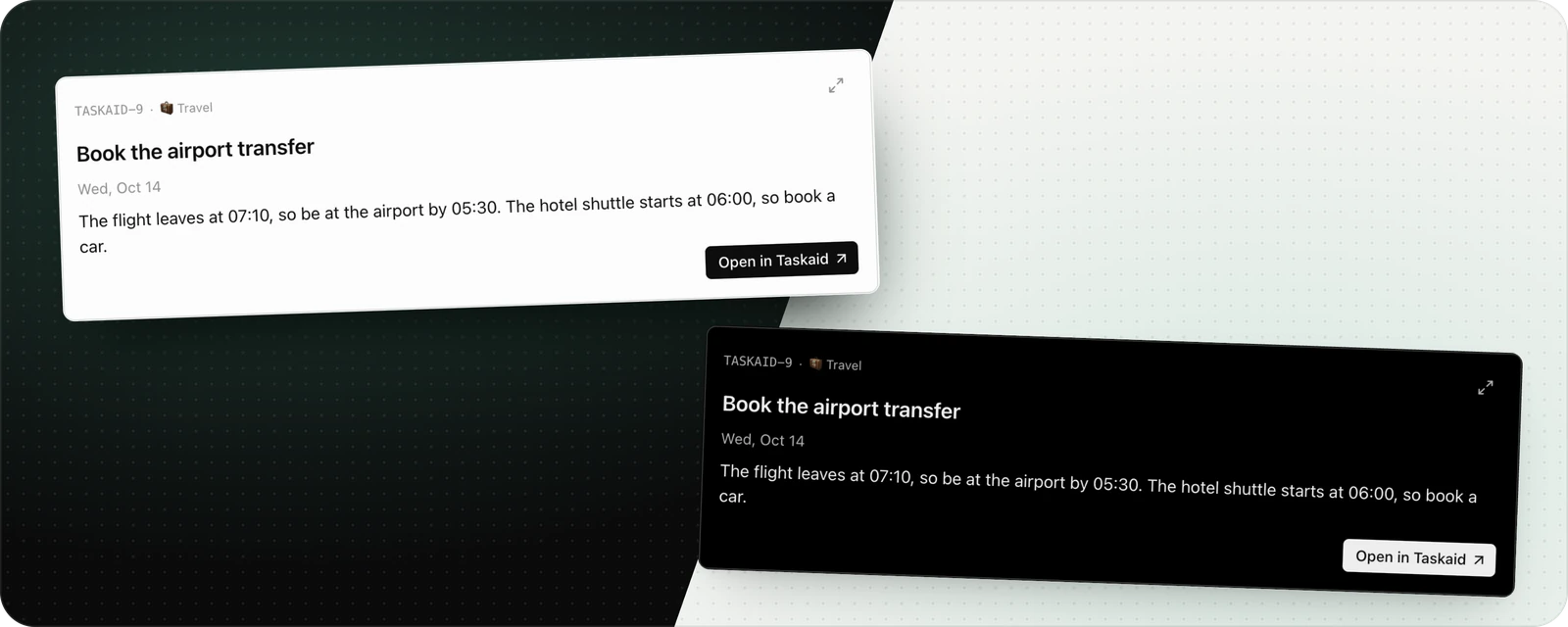
The card is an MCP App. This post covers what that means, what the card shows and when it appears, and what we learned building one that works in more than one assistant.
What an MCP App is
MCP is how assistants such as ChatGPT and Claude connect to apps like Taskaid. Mostly it carries data: the assistant calls a tool, the app returns a result, and the assistant writes about it.
MCP Apps is an extension to MCP that lets an app return a small interface along with that result. The assistant draws it in the conversation, in a sandboxed frame, and writes its reply around it. ChatGPT and Claude both support it.
For Taskaid, that interface is one task.
What the card shows
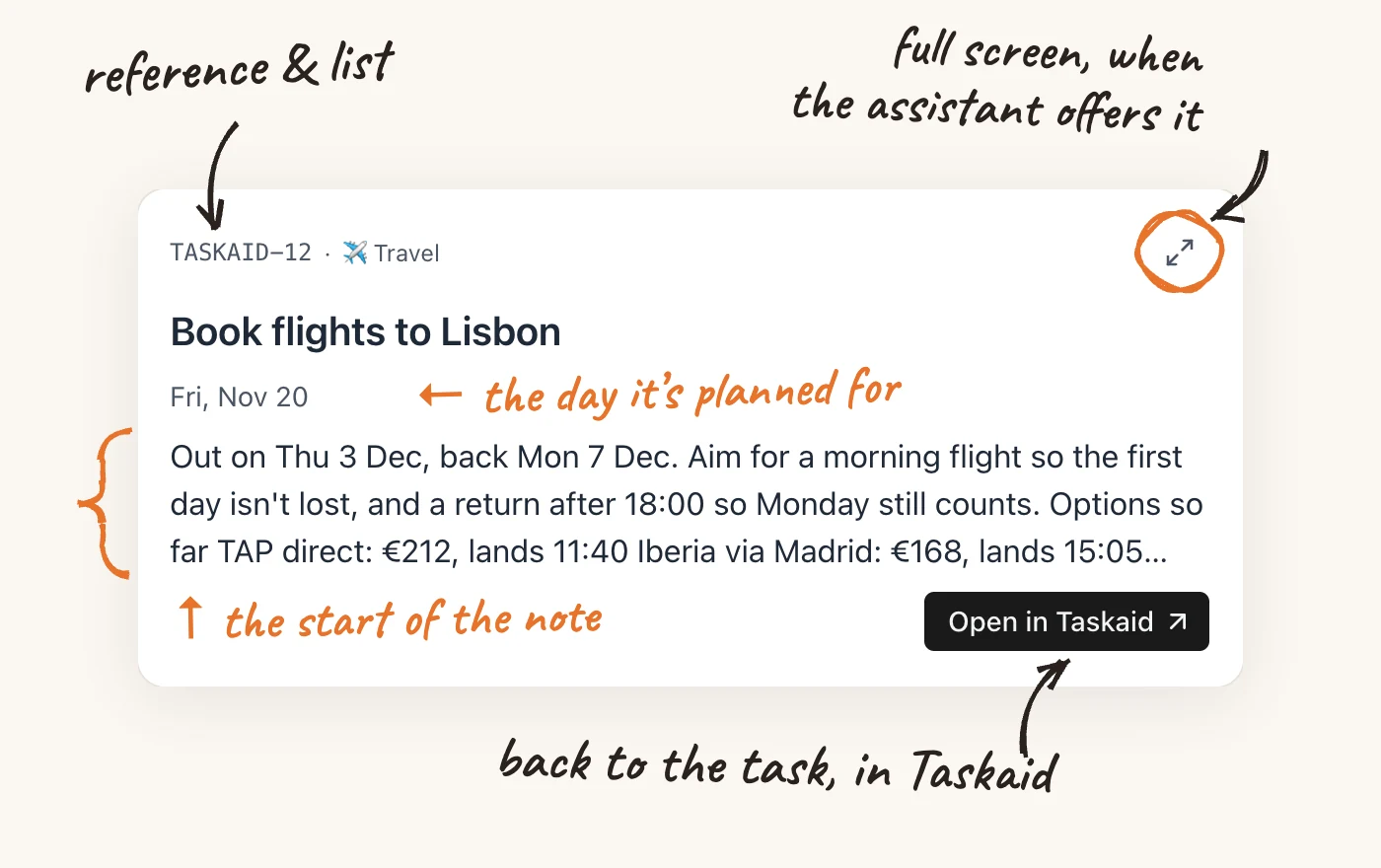
The card shows a task the way you'd glance at it in Taskaid: its reference and list, the title, the day it's planned for (or the day it was done), and the first three lines of its note. Open in Taskaid takes you to the task. Where the assistant allows it, the expand icon opens the card full screen.
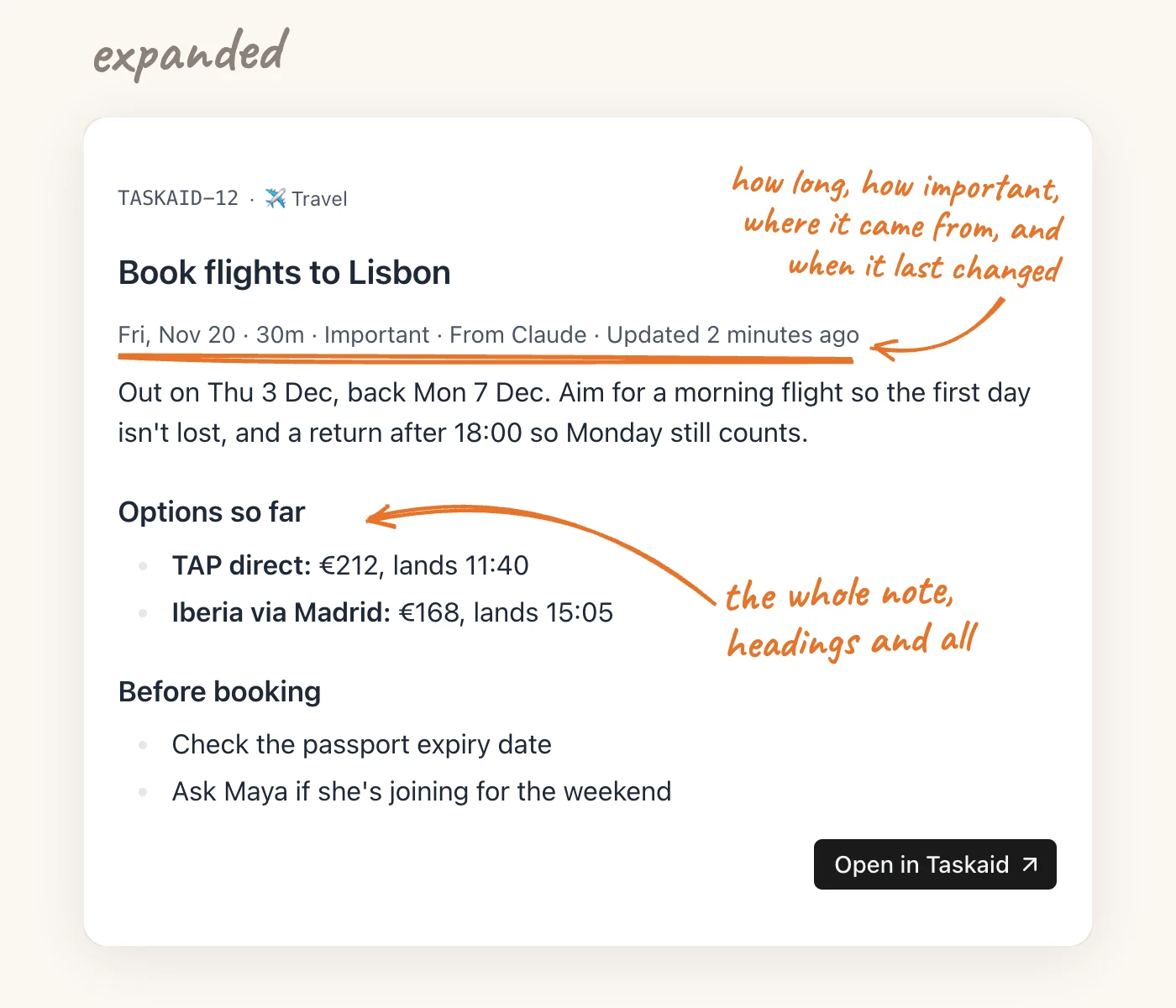
Full screen shows the whole note with its formatting, along with how long the task takes, whether it's marked important, where it came from, and when it last changed.
Either way, the card takes on the assistant's own look: its colours, fonts and corners, and its light or dark theme. It reads as part of the conversation rather than something pasted into it.
When it appears
Two things bring up a card:
- Opening a task. Ask the assistant to open a task, by its name or its reference, such as "Open TASKAID-12".
- Saving one. When the assistant creates a task or changes one, you see the card for what was saved, not the assistant's summary of it.
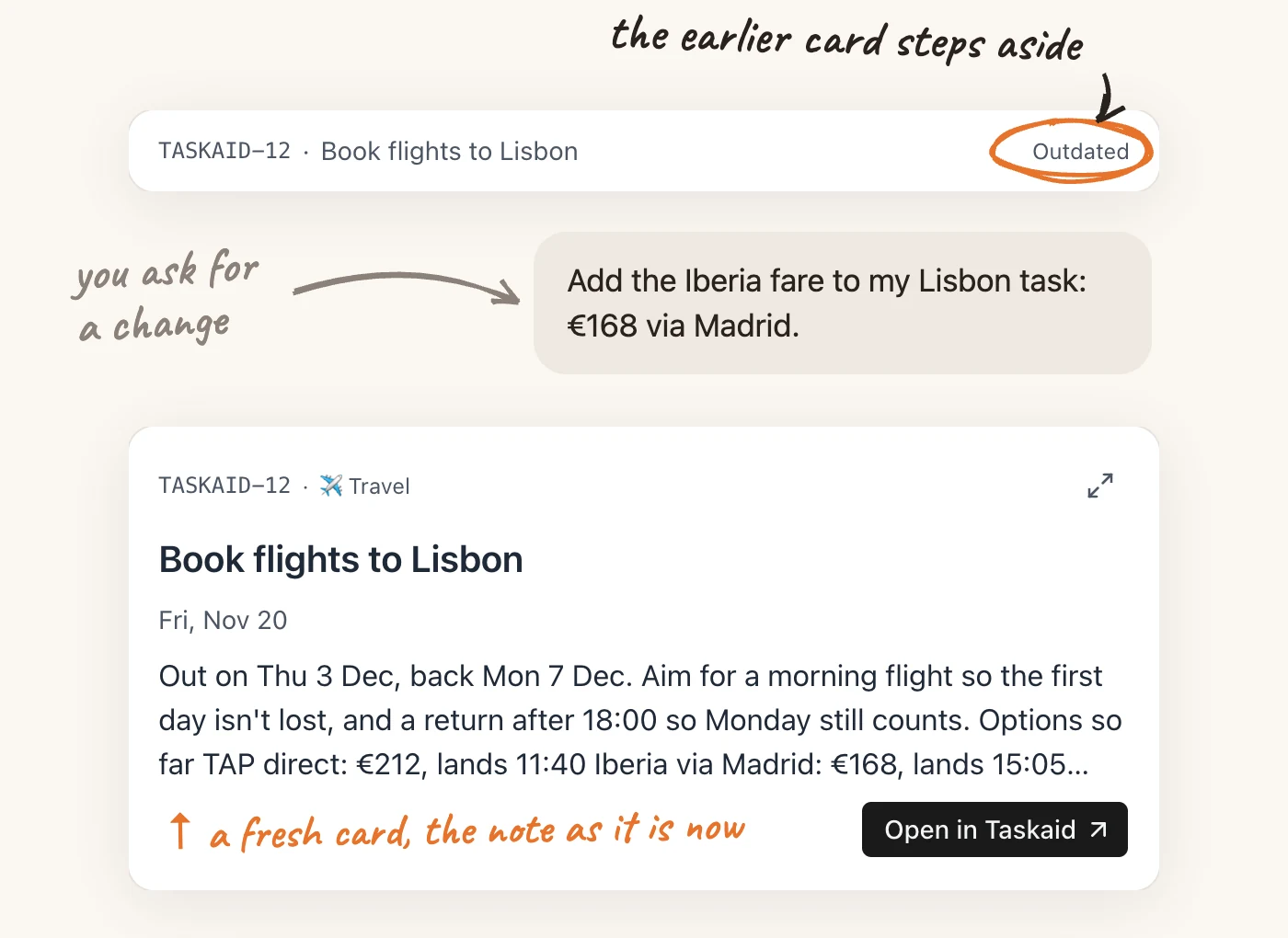
Each save brings a fresh card. Earlier cards for the same task step aside to a single line marked Outdated, so a long conversation doesn't leave an old version of the note looking current.
Assistants without cards
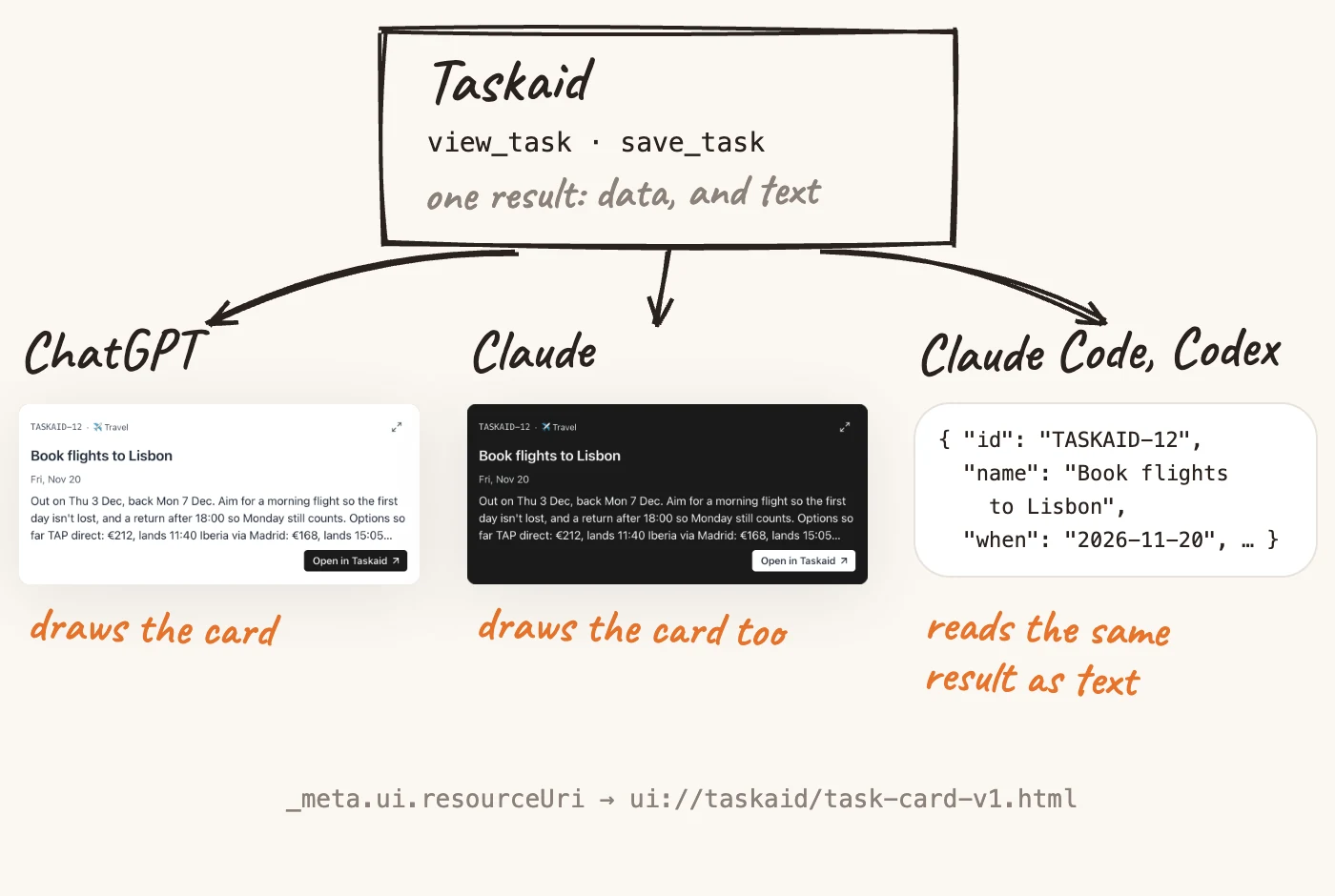
Not every assistant draws MCP Apps. Claude Code and Codex, for example, read the same result as text. For them nothing changes: the card is another way of showing the result, not a different result.
How it's put together
If you're building an MCP App of your own, these are the choices that let one card work across assistants:
- One view for two tools.
view_taskandsave_taskboth point to the same card through_meta.ui.resourceUri. Each still returns the task as structured data and as text, so a client that draws nothing loses nothing. - One self-contained file. The card is a single HTML page, built with Vite. It fetches nothing, so its content security policy allows no outside requests, and a link leaves through the assistant rather than navigating inside the frame.
- The version in the address. Assistants cache a view by its address, so a changed card ships under a new one:
ui://taskaid/task-card-v1.html. - The assistant's styles, not ours. Colours, fonts and corner radius come from the style variables the assistant sends, with plain fallbacks for one that sends none.
- The newest card wins. No assistant removes earlier cards when a new one appears, so cards for the same task compare when the task last changed, a value from Taskaid rather than the order they appeared in, and the older ones stand down. Claude's guide to superseding older instances describes the pattern.
When we shipped the card in October, we tried it in both assistants, and they differed in a few ways:
- ChatGPT opened the card for a plain request about a task. Full screen opens as a panel beside the chat, and ChatGPT adds its own expand button alongside the card's.
- Claude answered from search results until asked to open the task. Full screen opens from the card's own icon, several cards in one reply stack one under another, and the tool that shows the card sits under "Interactive tools", a permission separate from the read-only tools.
Try it
Taskaid is in ChatGPT's plugin directory, and in Claude you add it as a connector. Once it's connected, ask to open one of your tasks.