Task Reminders Across AI Assistants
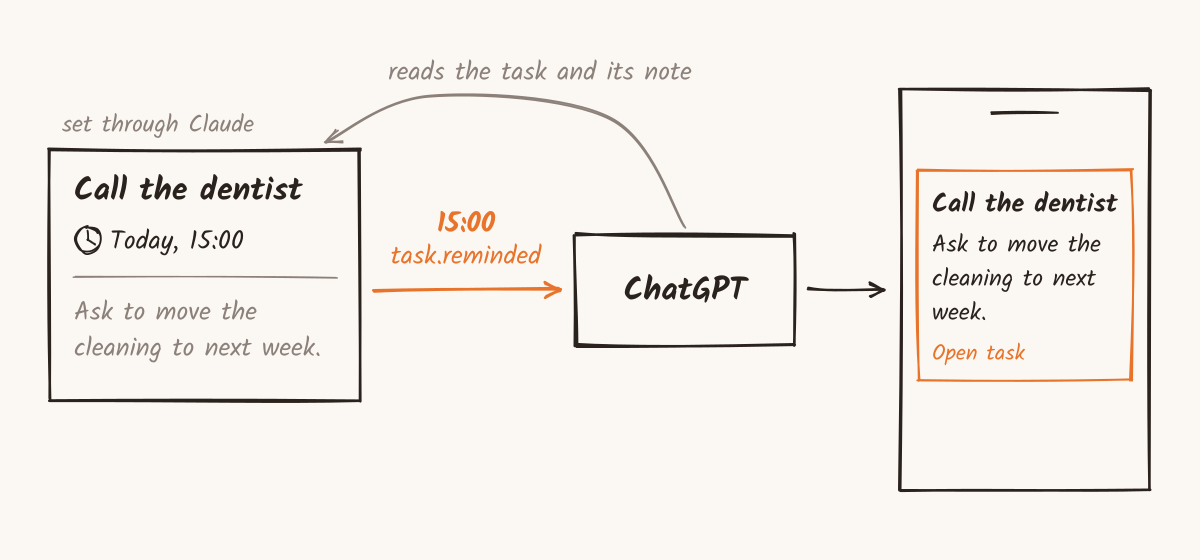
Set a reminder on a Taskaid task through Claude. With a monitor set up in ChatGPT, that reminder can prompt ChatGPT to read the task and send you its next step.
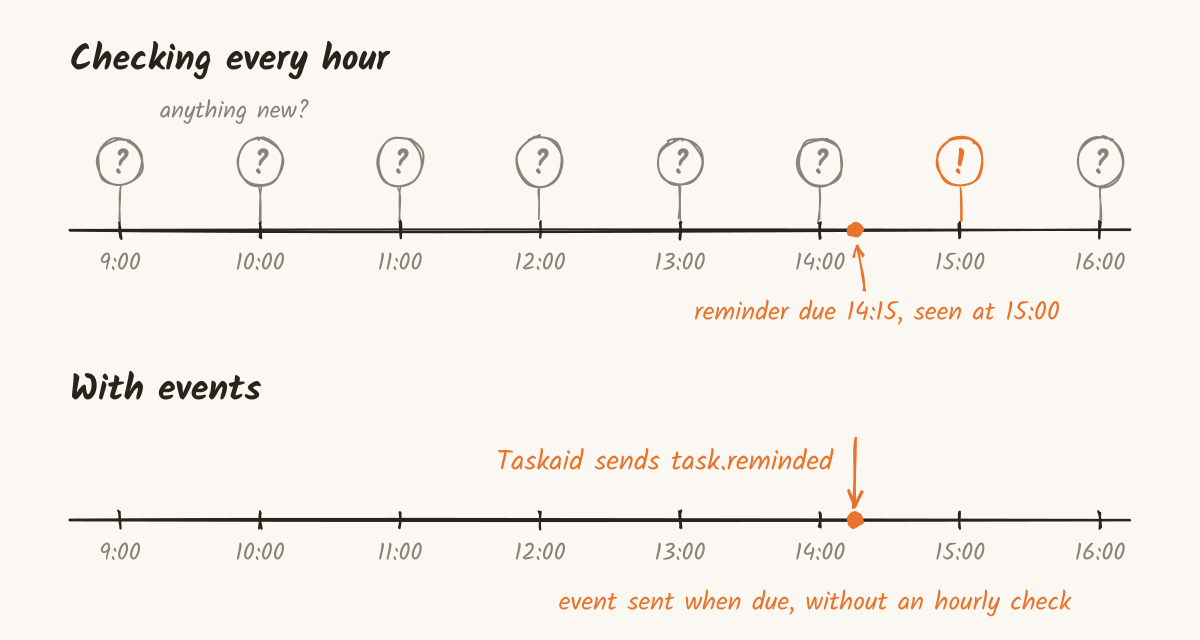
Without events, an assistant has to check to discover tasks and reminders set elsewhere. We see it in Taskaid's traffic: scheduled checks reading the same tasks hour after hour, around the clock, mostly finding nothing new.
MCP events give Taskaid a way to tell a subscribed assistant when something happens. When a reminder becomes due, Taskaid sends an event and the assistant follows the instruction you gave it. The reminder lives with the task, so the assistant that acts on it can be different from the one that set it.
What MCP events are
MCP is how assistants such as ChatGPT and Claude connect to apps like Taskaid. Mostly it runs one way: the assistant calls a tool, and the app answers.
The experimental Events extension, a draft from MCP's Triggers & Events working group, adds the other direction. Its goal is to let an agent react to things as they happen, "without the user being present."
It works in three steps:
- The app lists its events. Taskaid lists
task.created, for a new task, andtask.reminded, for a reminder. - The assistant subscribes. It names the event and can narrow it, for example to one list. Taskaid grants subscriptions for up to a day. The assistant renews before expiry to keep receiving events; a subscription it stops renewing lapses on its own.
- The app sends each event as it happens. Taskaid posts it to an address the assistant's platform gave when subscribing, signed so the platform can check it came from Taskaid.
An event carries the task without its note. The assistant reads the note through the same tools it already uses, with the same access you approved. Taskaid's Events reference shows both events exactly as an assistant receives them.
A reminder is an event at a time
A Taskaid reminder is a time of day, such as 15:00, on the day a task is scheduled, in your time zone. Move the task to Friday and the reminder moves with it. The date is still a day you mean to do the work, not an appointment; the reminder adds the moment that matters. Reminders covers the rules.
When the reminder becomes due, Taskaid sends task.reminded to every assistant subscribed to it. What happens next depends on your instructions and the assistant's available tools. For a call, it could remind you who to contact and why, or draft three questions from the task's note before you pick up the phone.
What changes
- One instruction covers every reminder. You tell the assistant once what to do with reminders. After that, setting a reminder is all it takes.
- Assistants share the reminder. A reminder set in one assistant can be acted on in another.
- The current note becomes the brief. The assistant reads the task when the reminder arrives, including changes made since you set it. Update who to call, what to bring, or the next step, and that's what it works from.
- The assistant runs when there's something to act on. No hourly sweep, no rereading every task to find the one that's due.
Setting it up in ChatGPT
ChatGPT watches for events through a monitor. With Taskaid connected, start a new chat, switch it to Work, and ask:
Watch for my Taskaid reminders across all my lists. When one comes in, read the task and send me a short reminder with its next step and a link.
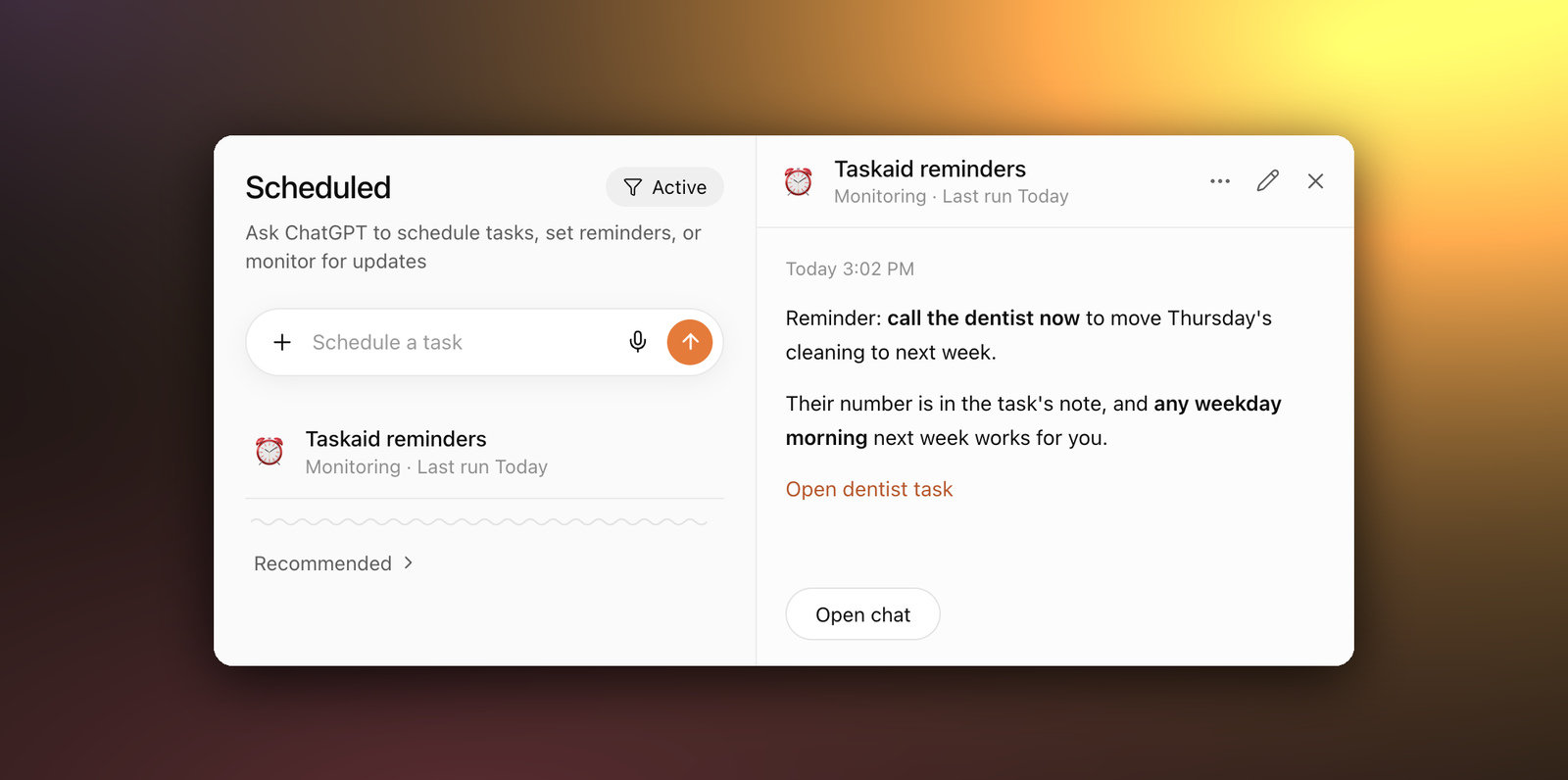
The monitor appears under Scheduled. Choose push notifications, email, or both under Tasks in ChatGPT's Settings → Notifications.
Our first request named a single task, and ChatGPT built a monitor that ignored every other reminder. Asking it to watch reminders across all our lists gave us one monitor we could keep using as we added more.
- Set it up from Work. In a regular chat, ChatGPT may set up an hourly check instead of subscribing, and a reminder can arrive up to an hour late.
- Narrow it if you like. A monitor can watch one list, such as Errands, and stay quiet about the rest.
Then set a reminder from any assistant connected to Taskaid, such as Claude:
Add a Taskaid task to call the dentist today, with a reminder at 15:00. Note: ask to move Thursday's cleaning to next week.
Where it stands
Events is new, in MCP and in the assistants that support it. So far, the assistant we've seen subscribe is ChatGPT, in Work mode. Other assistants can set reminders and read tasks through Taskaid's tools; the ones we've seen don't receive events yet.
Taskaid checks for due reminders each minute. Delivery and the assistant's response can take longer. Events aren't replayed, so an assistant that subscribes after a reminder was sent won't receive it.
We tried it on one of our own tasks, with a reminder set and the details we'd need in its note. When the reminder became due, Taskaid sent the event. In that test, ChatGPT read the task and sent a short reminder to phone and laptop within two minutes, with the next step from the note and a link to the task. Later that day, it renewed its subscription on its own, hours before it would have lapsed.